

Description
Download VoiceTraVoice Translator APK – Voice Translator, Speech Recognition, Multilingual Translation, Travel Assistant, Free Android App
Overview
VoiceTraVoice Translator is a free Android application developed by NICT, a Japanese research organization, designed to facilitate real-time verbal communication across language barriers. The software specializes in speech-to-speech translation, enabling users to speak in one language and receive an audio output in another. It supports more than 30 languages, combining speech recognition and text-to-speech synthesis to deliver context-aware translations. The app is particularly tailored for travelers and individuals engaging in cross-cultural interactions in environments such as transportation hubs, restaurants, hotels, and tourist sites. Its core purpose is to simplify communication in foreign countries by translating spoken sentences rather than isolated words, enhancing accuracy through contextual interpretation. While primarily intended for personal use during travel, the app may also serve professionals in hospitality, customer service, and international business who require quick verbal translation. The developer did not provide additional information about the organization’s broader product line or commercial activities. Real-world usage scenarios include checking into a hotel, ordering food at a restaurant, or asking for directions at an airport. The app is available for Android 6.0 and later, ensuring compatibility with a wide range of devices.
Key Features & Capabilities
- Real-Time Speech-to-Speech Translation – Users can speak naturally in their native language, and the app instantly translates the speech into a target language using synthesized voice output. This is ideal for dynamic conversations where typing is impractical.
- Support for Over 30 Languages – The app enables translation between multiple language pairs, with support for both speech input and text input, making it accessible even for languages without speech recognition capabilities.
- Context-Aware Translation – Unlike basic dictionary tools, VoiceTra interprets full sentences to deliver more accurate and natural-sounding translations, improving usability in complex interactions.
- Text Input Mode – For languages or situations where voice input is not feasible, users can manually type their message, which is then translated and read aloud.
- Offline Mode Support – The app includes limited functionality when used without an internet connection, though performance may be reduced compared to online operation.
These features are especially useful in high-pressure or time-sensitive scenarios such as booking a taxi, checking into a hotel, or navigating a foreign airport. The app’s ability to process full sentences enhances clarity and reduces miscommunication. For users who need to convey nuanced messages, such as requesting a room change or explaining a medical condition, the contextual understanding provides a significant advantage over word-by-word translation tools.
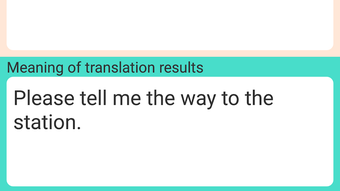
User Interface, Workflow & Performance
The user interface of VoiceTraVoice Translator is designed for simplicity and efficiency, focusing on core translation functions. The main screen typically features a microphone button for voice input, a text input field, and a playback button for the translated audio. Navigation is straightforward, with minimal onboarding steps and no complex menus. Users can switch between source and target languages with a few taps, and the app responds promptly to input. The workflow is optimized for real-time use, allowing users to speak, wait for translation, and hear the output in under a second in most cases. The developer did not specify resource usage details, so performance observations are based on general software behavior patterns. Stability appears to be consistent under normal usage, though performance may vary depending on internet speed and device capabilities. The app relies on cloud-based processing for speech recognition and synthesis, which means it may experience delays or interruptions in areas with poor connectivity. The developer did not provide information on CPU or RAM consumption. Users are advised to ensure a stable internet connection for optimal results, especially when using voice input.
Compatibility & System Requirements
VoiceTraVoice Translator is available for Android devices running Android 6.0 or higher. The app is designed to function across a wide range of smartphones and tablets, ensuring accessibility for most users with modern Android hardware. The installation size was not specified, so exact storage requirements are unknown. The developer did not list specific hardware requirements such as processor speed, RAM, or GPU capabilities. Compatibility information was partially provided, with the minimum OS version clearly stated. Users should verify that their device meets the Android 6.0 requirement before attempting installation. The app is distributed as an APK file, allowing direct installation on Android devices without the need for an official app store. While the app is free to download and use, some advanced features may require a subscription, though the developer did not clarify which features are included in the free version.
Pros and Cons
Pros
- Free to use with no upfront cost
- Supports over 30 languages with real-time speech translation
- Context-aware translation improves accuracy for full sentences
- Offers both voice and text input modes
- Available for Android 6.0 and above
- Designed specifically for travel and real-world communication
Cons
- Relies on internet connection for optimal performance
- Offline mode may have reduced functionality
- Some advanced features may require a subscription
- Performance may vary based on network quality
- Developer did not provide detailed system requirements
FAQ Section
Is VoiceTraVoice Translator free to download and use?
Yes, the app is free to download and use. However, some advanced features may require a subscription, though the developer did not specify which ones.
What operating systems does VoiceTra support?
VoiceTra is available for Android devices running Android 6.0 or higher.
Does the app work without an internet connection?
Yes, the app supports offline mode, but performance may be reduced compared to online operation.
Can I use VoiceTra for non-travel purposes?
While the app is optimized for travel-related conversations, it can be used for general communication, customer service, or language learning.
Is the app secure and safe to use?
As a free app developed by NICT, a recognized research organization, the app is considered secure. However, users should ensure they are downloading the APK from a trusted source.
Final Thoughts + CTA
VoiceTraVoice Translator stands out as a practical, free tool for overcoming language barriers in real-world situations. Its focus on context-aware, speech-to-speech translation makes it ideal for travelers and professionals who need accurate, real-time communication. While it depends on a stable internet connection for full functionality, its offline capabilities offer flexibility. The app’s clean interface and straightforward workflow enhance usability, and its support for multiple languages increases its global relevance. Although some advanced features may require a subscription, the core translation functionality remains accessible at no cost. For anyone planning international travel or working in multilingual environments, VoiceTra is a reliable and efficient solution. Download VoiceTraVoice Translator APK now.
Guides & Tutorials for VoiceTraVoice Translator APK
How to install VoiceTraVoice Translator APK
- Click the Preview / Download button above.
- Once redirected, accept the terms and click Install.
- Wait for the VoiceTraVoice Translator APK download to finish on your device.
How to use VoiceTraVoice Translator APK
This software is primarily used for its core features described above. Open the app after installation to explore its capabilities.
User Reviews for VoiceTraVoice Translator APK 0
No reviews found





